

What Distribution adds
The Profile card, a one-page PDF of your live profile, is available without
Distribution once you are listed on Apostra. Messaging destinations such as Slack are
not part of Distribution: they are for your own team rather than for buyers, and Slack
is coming soon.
Distribution decides where buyers can find you. It does not decide who may buy: any
buyer on Apostra can already buy from a storefront that is ready to sell.
What buyers see
Your public page
Your public page shows your logo, name, description and the channels you sell. Under them, a Connect row links to each destination that is live: your Apostra listing, your ChatGPT app and Claude. A For agents footer links to the machine-readable version of the page and to Apostra’s instructions for buyer agents.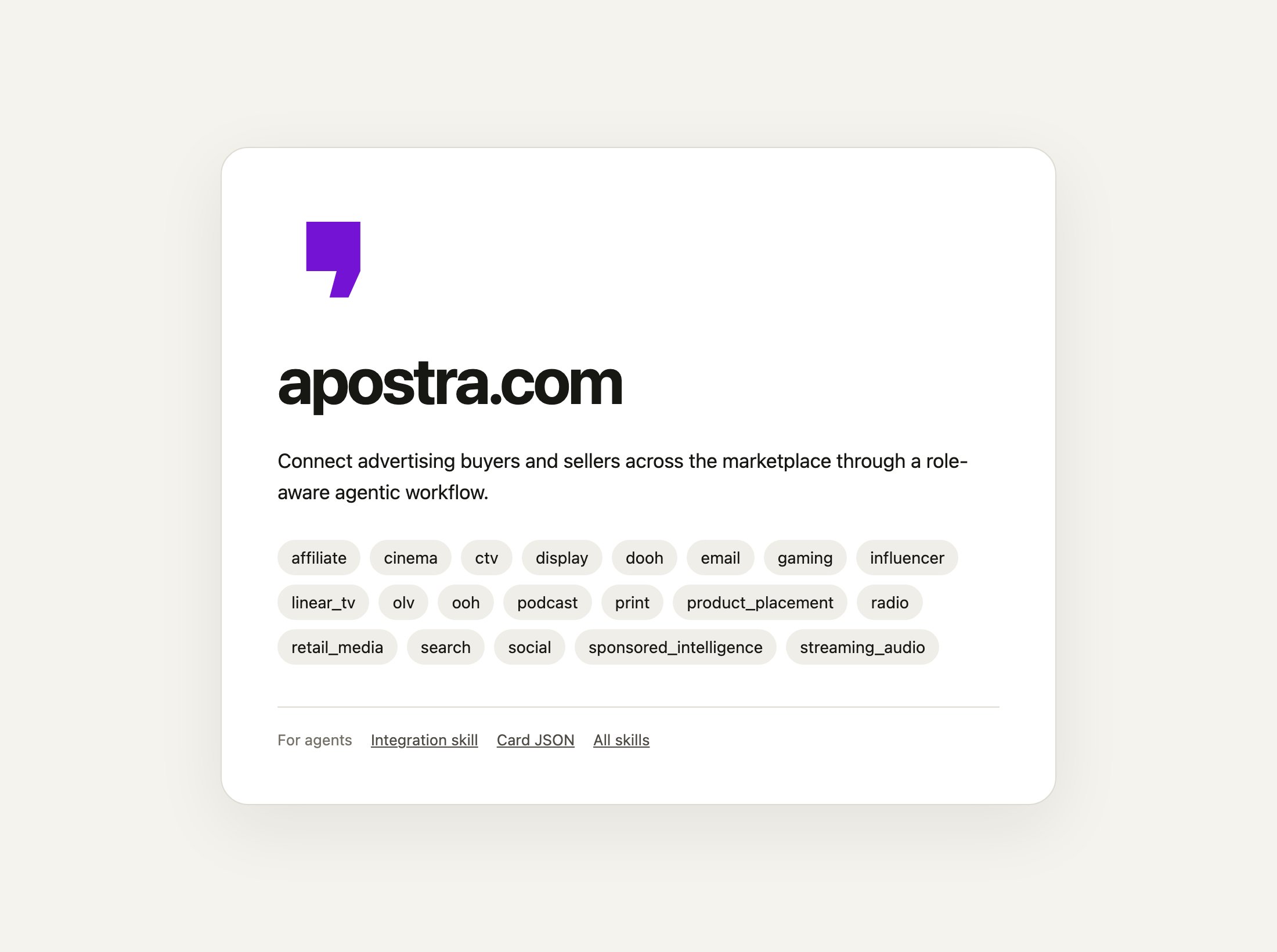
A public page. Yours shows your own logo, name, description and channels.
The public page has no form. A person cannot type a brief into it and get an answer
back. People and their agents reach your storefront through Apostra, ChatGPT or Claude.
ChatGPT and Claude
In ChatGPT, buyers find and buy from you inside the chat. Apostra builds the app from your profile, and you submit it in OpenAI’s portal. In Claude, your storefront is a connector you submit to Anthropic’s Connector Directory. OpenAI and Anthropic each review and approve the listing, on their own timeline.What a buyer needs before you answer
Distribution changes where buyers find you, not what they need to buy from you. There are two routes. A buyer who finds you. A buyer, or their agent, signs in with an Apostra buyer account — on Apostra and in the ChatGPT and Claude apps alike. A request without one is refused. A buyer without an account signs up first, and an administrator of their organization accepts Apostra’s Terms of Service before the buyer can ask you for proposals or buy. Buyer setup lists everything their organization completes. The first time a buyer asks you for products, Apostra sets up an account between that buyer and you. It is approved automatically when the buyer asks for standard payment terms; see Why you approve and map buyers. A client you invite. With Distribution you can invite a person at a client company into one of your advertisers. They do not get an Apostra account and do not join your organization. They sign in, work only in that advertiser, and you approve, suspend or end their access. See Give a client access to one advertiser.Set it up
Open your Public profile: in the Apostra web app, or ask your agent to open it (open_page with page: "listing"). It has four steps:
- Identity. Your name and logo, from your verified brand domain.
- What you do. A short description, your channels and the countries you sell in.
- Listed on Apostra. The switch that publishes your profile on Apostra.
- Public distribution. Add the Distribution package, then point your domain at Apostra.
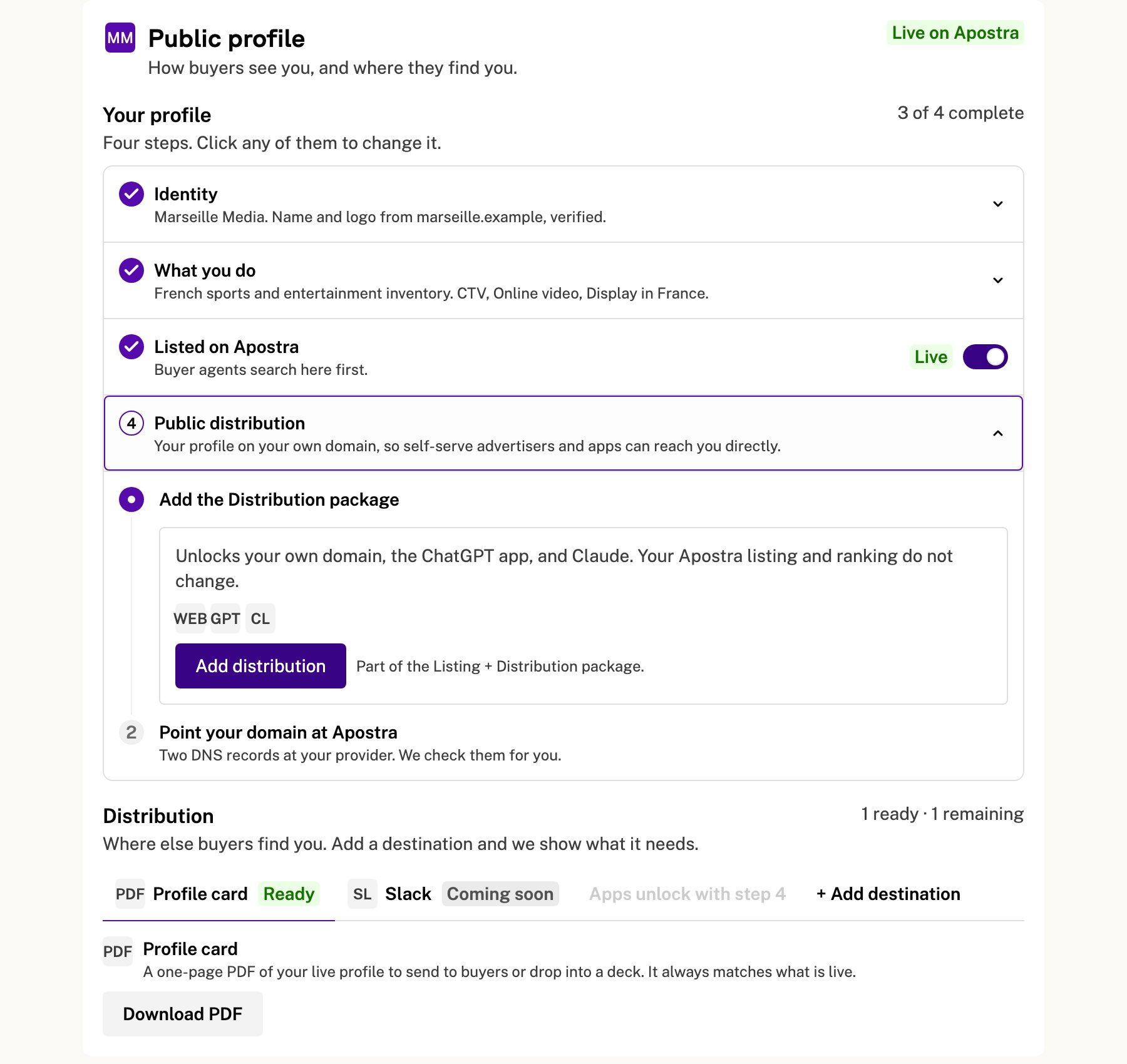
Step 4 before the Distribution package is added.
- Add the Distribution package. It needs an accepted offer; see What it costs.
- Choose an address. Use a subdomain that serves nothing today, such as
ads.example.com, never the address your website runs on. Choose a domain for Public distribution explains why. - Add two DNS records at your DNS provider: the CNAME and the TXT ownership record
the page shows you. Then tell us the records are in — file a request with
save_ask, or message your Apostra contact — and we turn on HTTPS for your domain. Once that is done, choose Check my domain. - Choose Make it public. Verifying the domain alone does not publish anything.
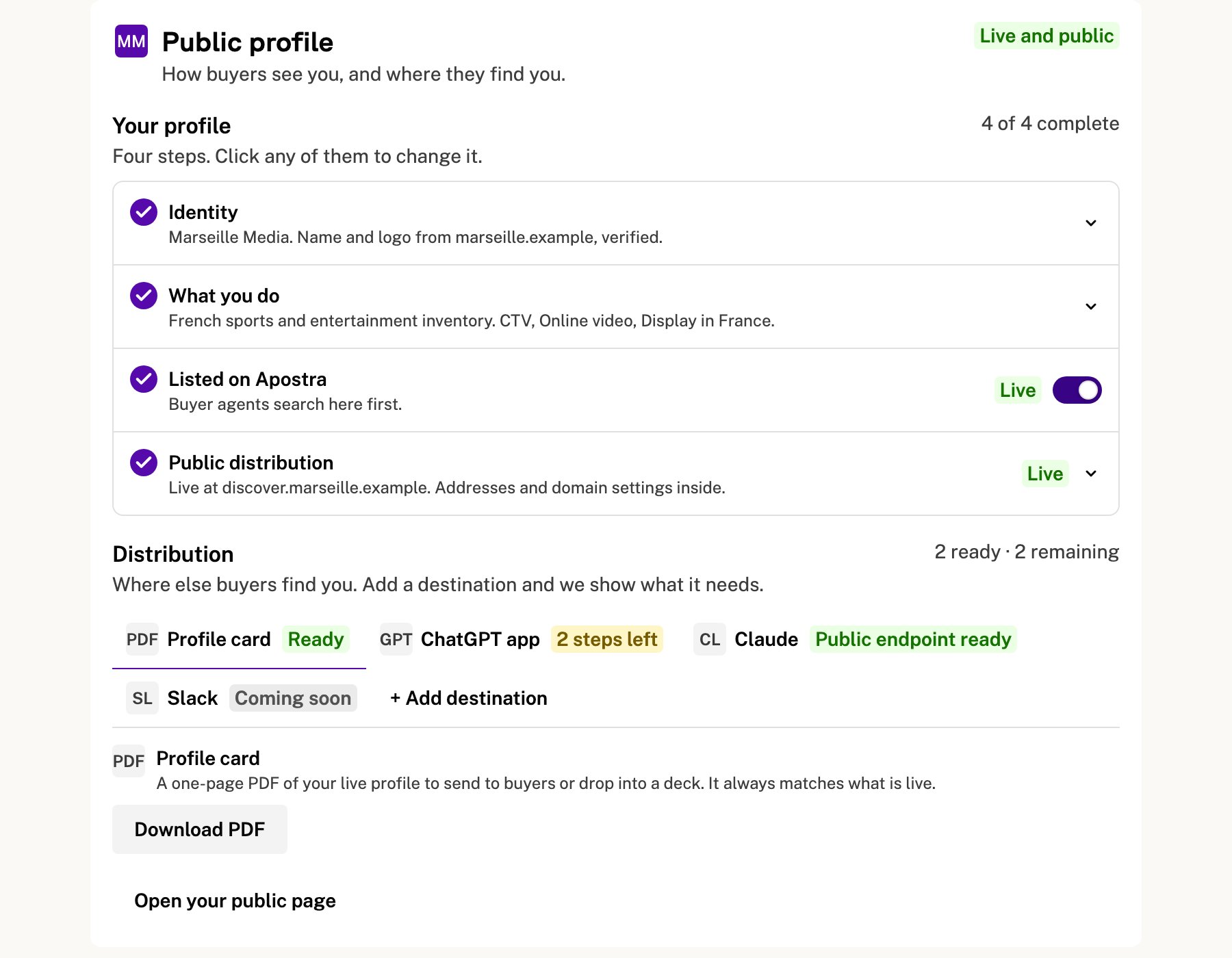
Public distribution is live. The Distribution tabs show what each destination still needs.
Submit the ChatGPT app
The ChatGPT tab walks you through four steps: Public distribution live, reviewer access for OpenAI’s reviewers, proof to OpenAI that you own your address, and the package you upload to OpenAI’s portal. For reviewer access, follow the reviewer-login link in the tab. The reviewer login cannot spend money. Create a white-label ChatGPT app has every step, including what happens on OpenAI’s side.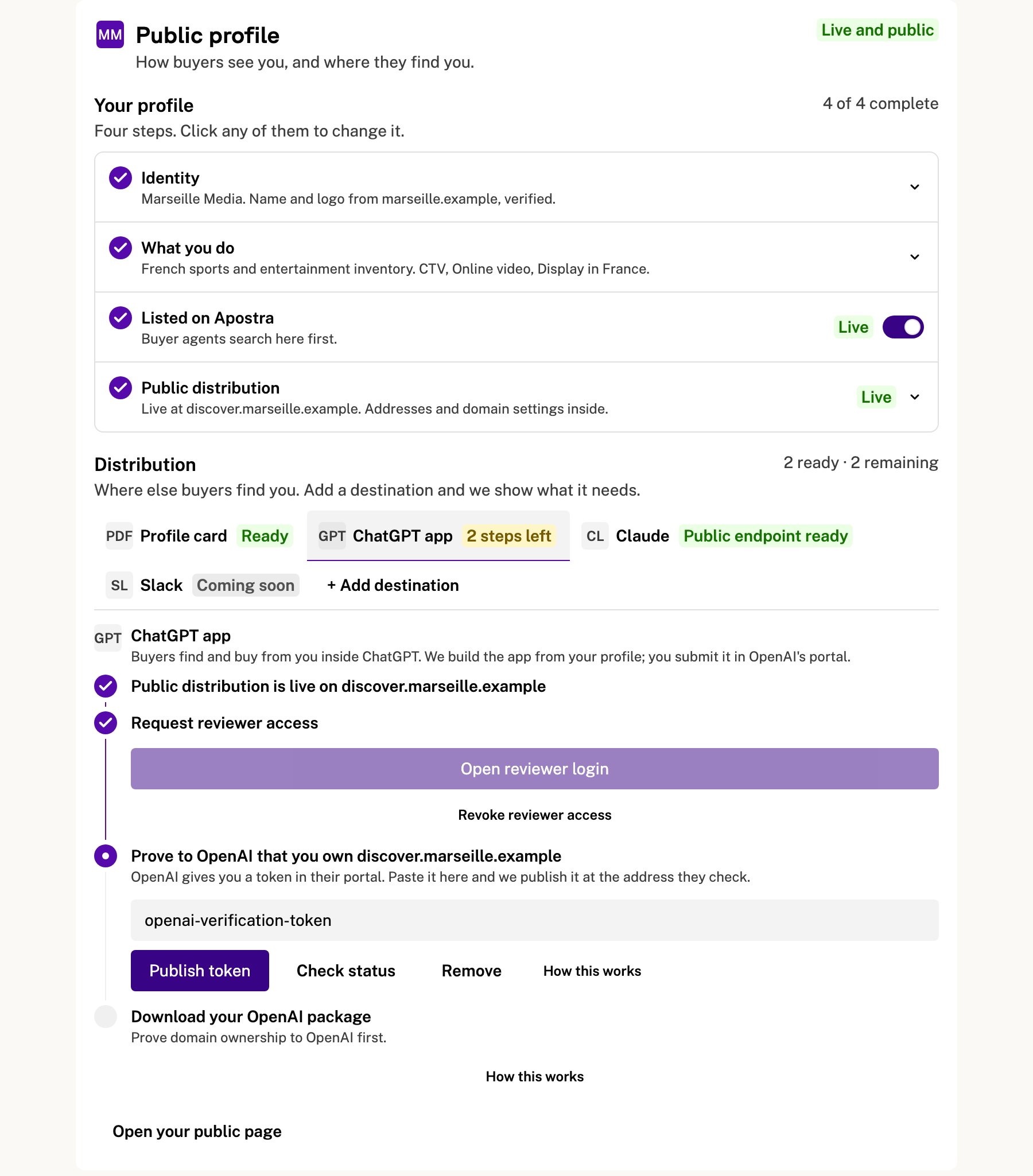
The ChatGPT tab, with reviewer access granted and domain proof next.
Submit to Claude
The Claude tab confirms your public endpoint is ready and links to Anthropic’s Connector Directory submission. Choose OAuth 2.0 + Dynamic Client Registration in Anthropic’s authentication step. For Anthropic’s reviewers, follow the reviewer-login link in the tab. Public profile has the details.What it costs
Distribution is a paid add-on to your plan. It has no published price: your Apostra contact sends you an offer, and the accepted offer sets its monthly fee, IU rate and dates. See Plan & Billing for how offers are accepted.If you turn it off
Turning off Listed on Apostra takes your profile off Apostra and the public web. Buyers can no longer find it anywhere until you publish it again. Ending Distribution itself is arranged with your Apostra contact, who will tell you what changes for your public page and app destinations. Your listing on Apostra stays.Related
- Which domain is which: the address you choose and how it is verified.
- Give a client access to one advertiser: inviting clients.
- Buyer setup: what a buyer completes before buying.
- Discovery card: the public listing from a buyer’s agent’s point of view.
- Publisher domains: the technical detail of public addresses and domain verification.